Turck Project Settings
A Turck Project Settings file (TPS) contains all settings regarding compilation of a Margee project. This means the target device, I/O parameters and PLC Communication must be configured here.
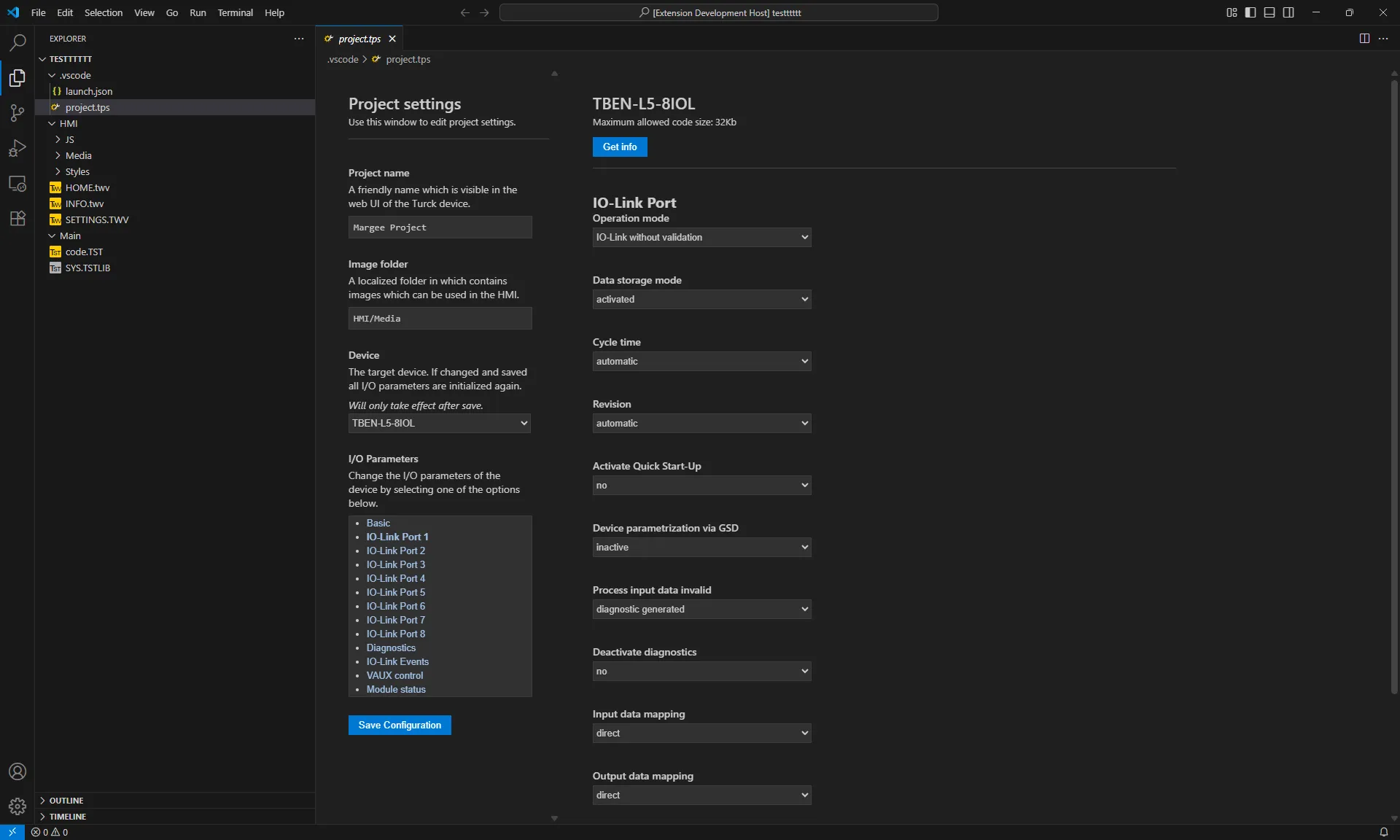
Key Settings in a TPS File
Section titled “Key Settings in a TPS File”- Target Device: Select which Turck device to compile for.
- I/O Parameters: Configure digital inputs/outputs, analog inputs/outputs and/or IO-Link ports.
- PLC Communication: Configure PLC communication.
- Project Name: Set the name for your project.
- Other Options: Additional compilation and project settings.
Because a TPS file contains only project related settings, the actual IP and password of the device must be set in the launch.json file, which can be found inside the .vscode directory. The launch.json contains the launch configuration for a debugging session.